> For the complete documentation index, see [llms.txt](https://docs.pollination.solutions/user-manual/llms.txt). Markdown versions of documentation pages are available by appending `.md` to page URLs; this page is available as [Markdown](https://docs.pollination.solutions/user-manual/getting-started/buying-pollination-products/setting-up-your-pollination-organization.md).
# Setting Up your Pollination Organization
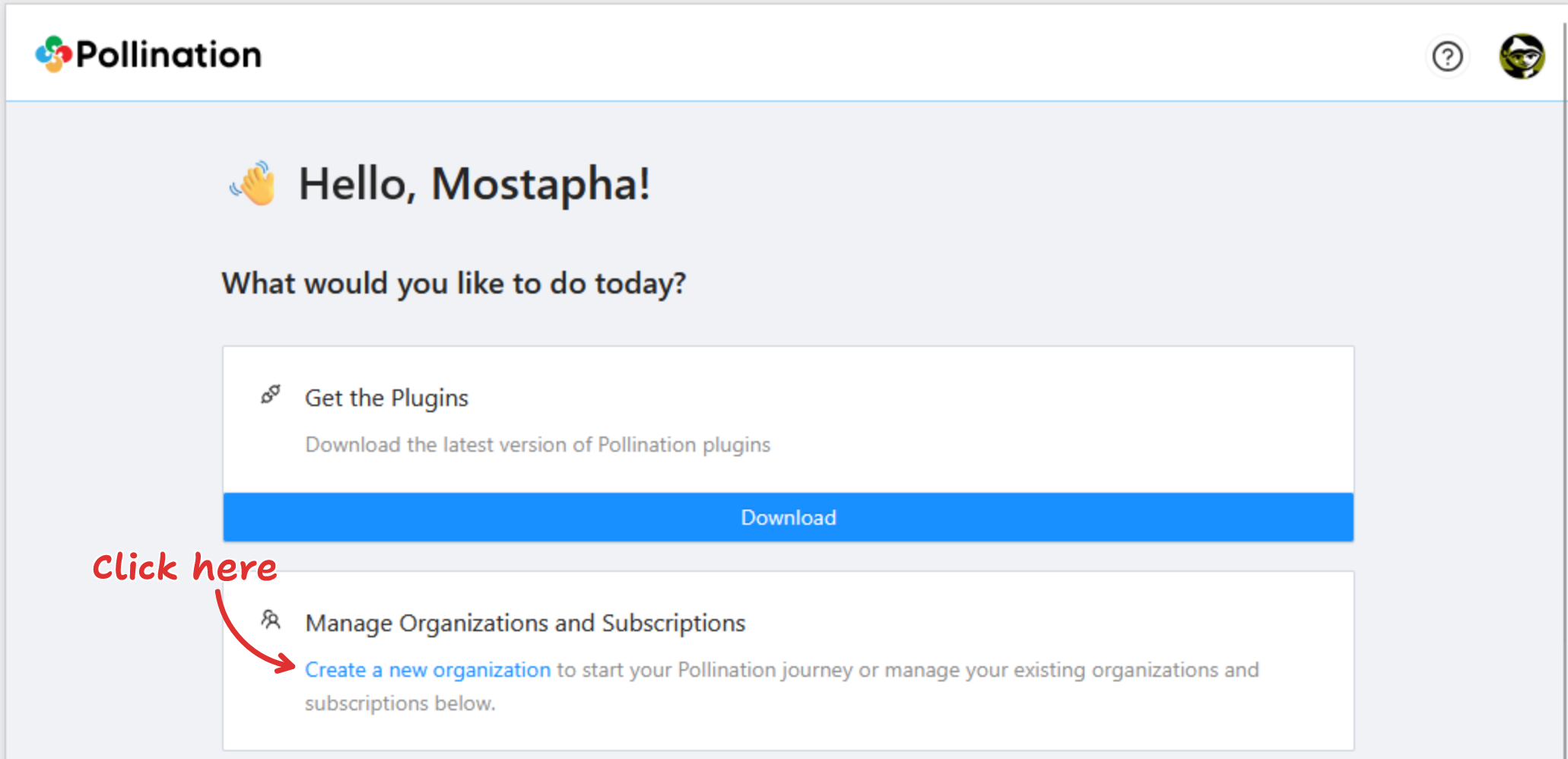
To buy Pollination products, first create a Pollination organization. Visit [Pollination Web Application](https://app.pollination.solutions) and click on the link that is highlighted below.
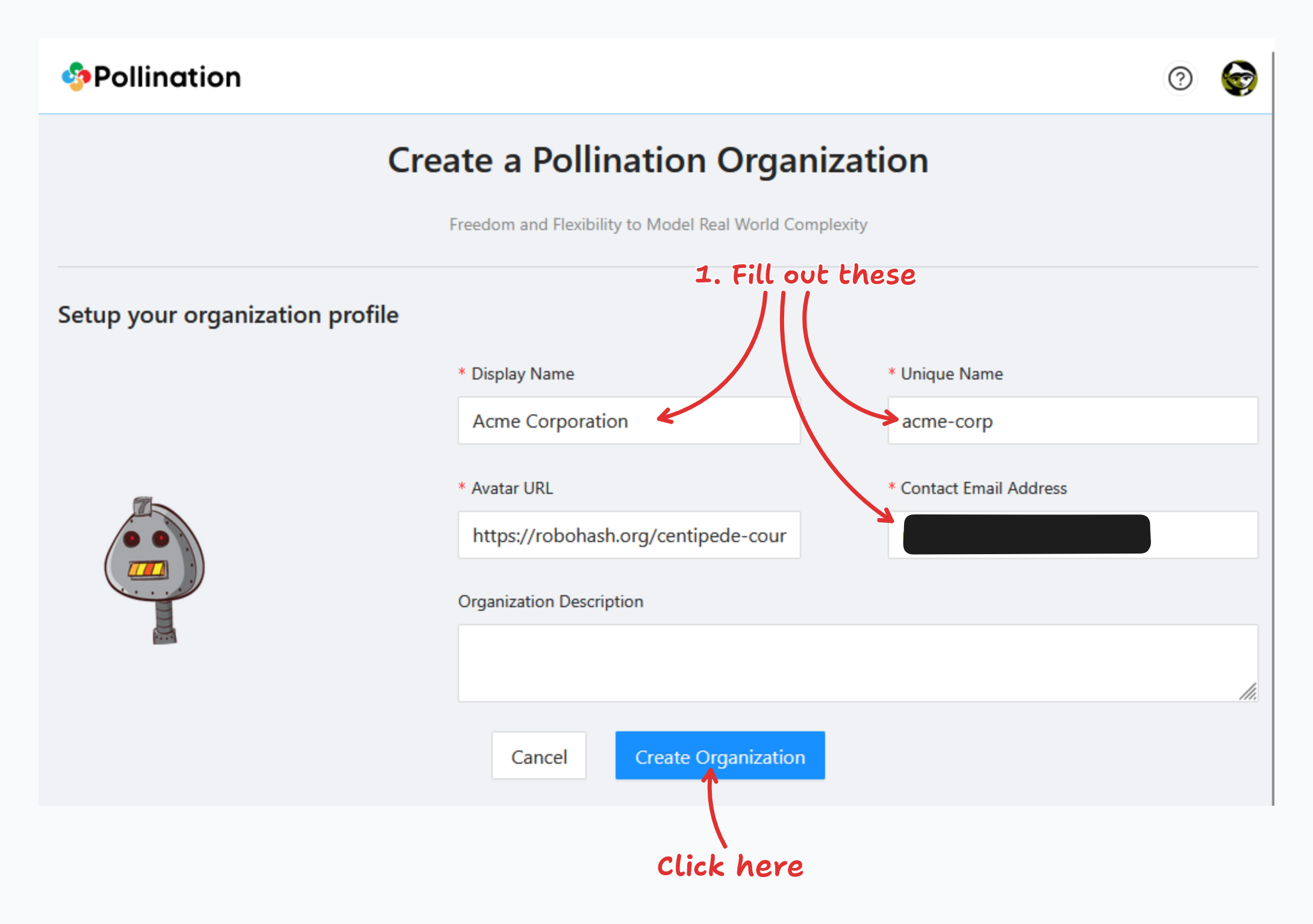
Click the link to navigate to the page for entering your organization information. Complete the required fields and click the "Create Organization" button.
{% hint style="info" %}
No need to worry about the Avatar URL; you can update the profile image later in the organization settings.
{% endhint %}
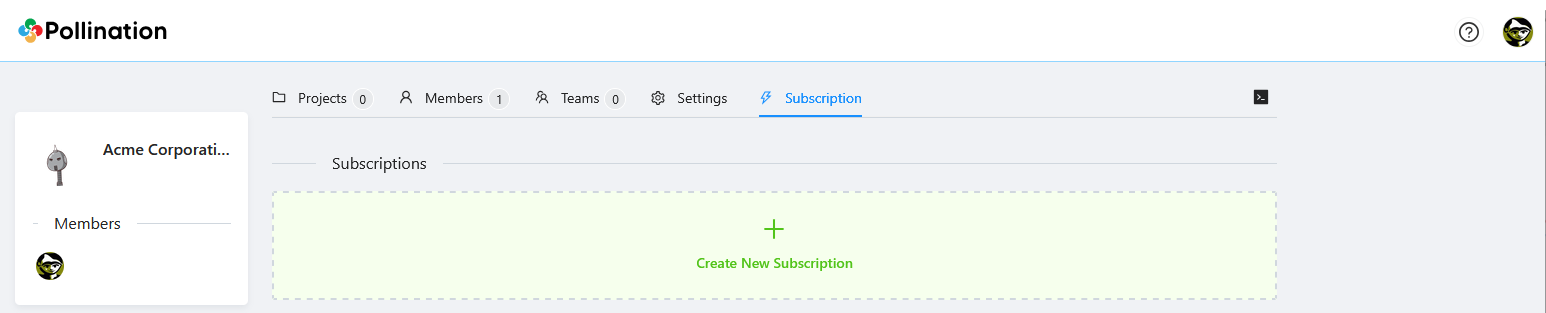
Once the organization is created you will be redirected to the organization's subscription page automatically. You will be the first and the only owner of the organization.