> For the complete documentation index, see [llms.txt](https://docs.pollination.solutions/user-manual/llms.txt). Markdown versions of documentation pages are available by appending `.md` to page URLs; this page is available as [Markdown](https://docs.pollination.solutions/user-manual/model-editor/supported-file-formats/import.md).
# Import
Summary of supported import formats in Model Editor.
{% hint style="info" %}
The import options are not currently available on the web-based version of the Model Editor.
{% endhint %}
The Model Editor supports opening these file formats.
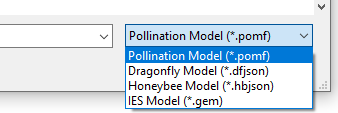
* Pollination Model (PoMF)
* IES VE Geometry (GEM)
* Honeybee Model (HBJSON)
* Dragonfly Model (DFJSON)
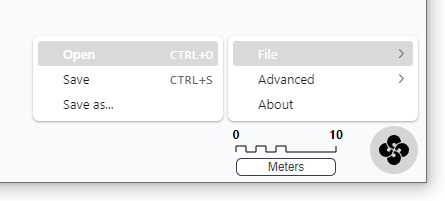
You can open the files by clicking on the Pollination logo in the bottom right corner of the screen, and selecting File > Open.
You can open the files by clicking on Pollination logo in the bottom of the screen, and select File > Open.
Use the extensions dropdown to select the desired file format. The default option is PoMF.