> For the complete documentation index, see [llms.txt](https://docs.pollination.solutions/user-manual/llms.txt). Markdown versions of documentation pages are available by appending `.md` to page URLs; this page is available as [Markdown](https://docs.pollination.solutions/user-manual/getting-started/buying-pollination-products/creating-new-pollination-subscriptions.md).
# Creating New Pollination Subscriptions
{% hint style="info" %}
Only `Super Admin` and `Billing Admin` roles can create a new organization subscription.
{% endhint %}
{% hint style="info" %}
As a reminder, we use [Paddle](https://www.paddle.com/) to process all our payments. [See here for more information](/user-manual/getting-started/buying-pollination-products.md#how-can-i-set-you-as-a-vendor-in-our-companys-system).
{% endhint %}
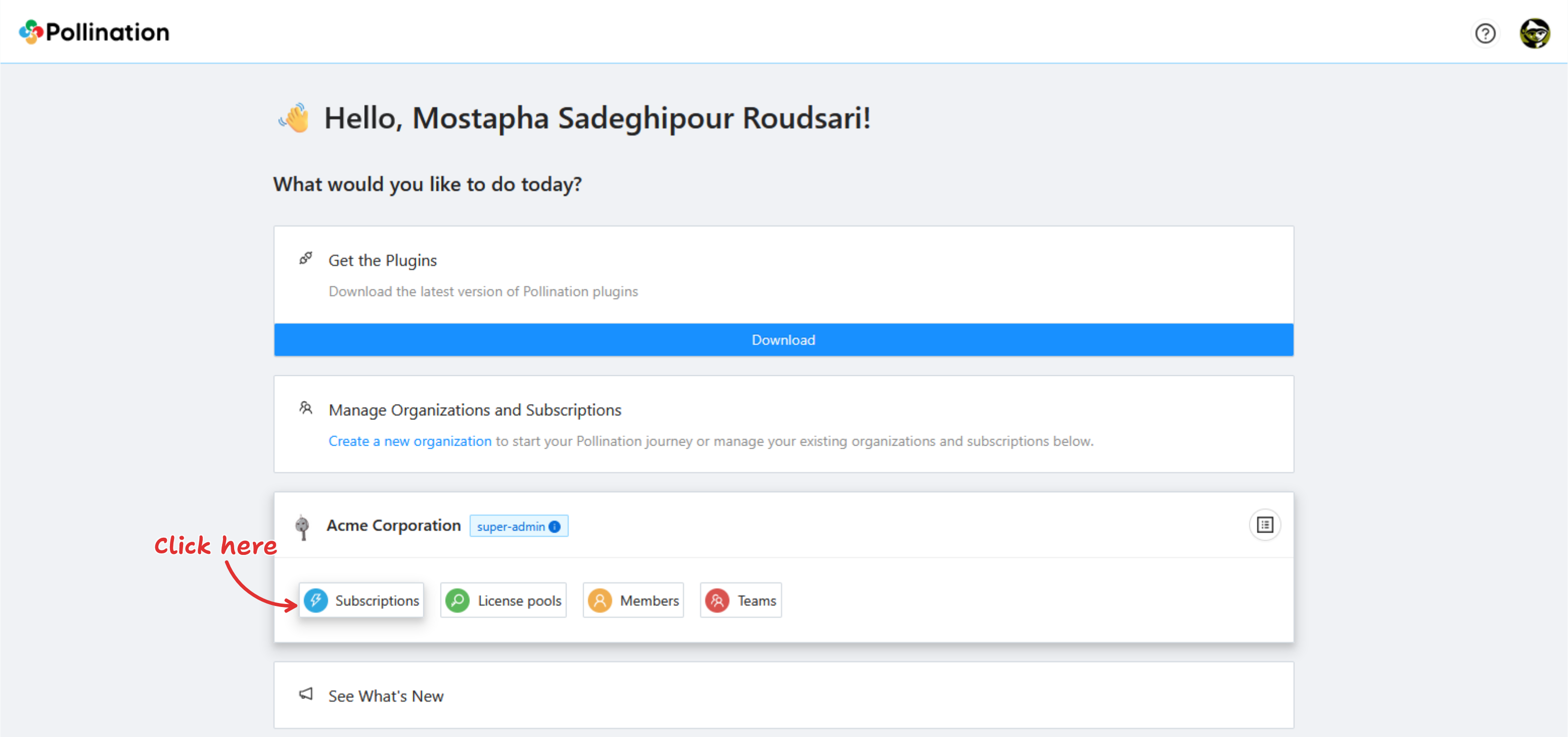
To create a new subscription you need to go to the "Subscription" tab under your organization. If you have just created the organization you should automatically be redirected to the subscription page, otherwise, you can find the organization on the Pollination web application home page, and click on the "Subscriptions" link.
Click on the Subscriptions button in the organization card
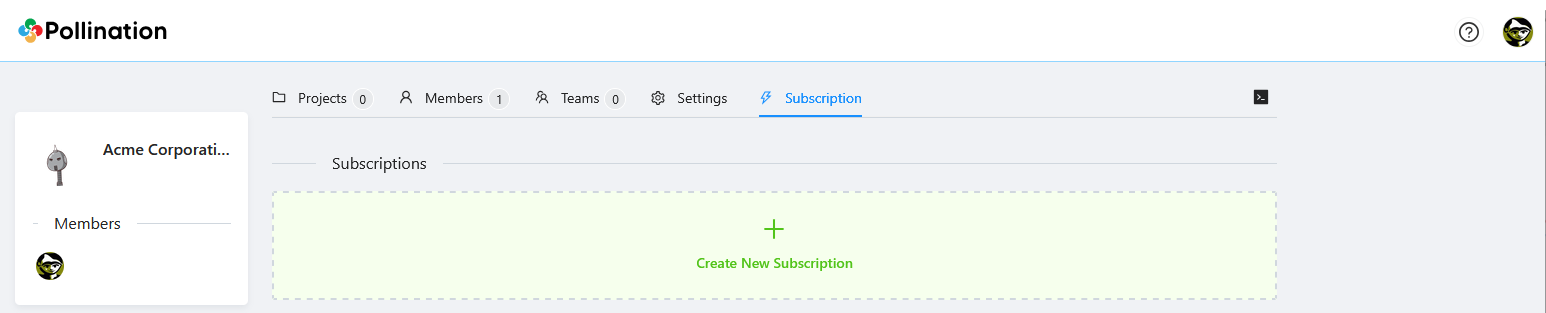
Subscription tab
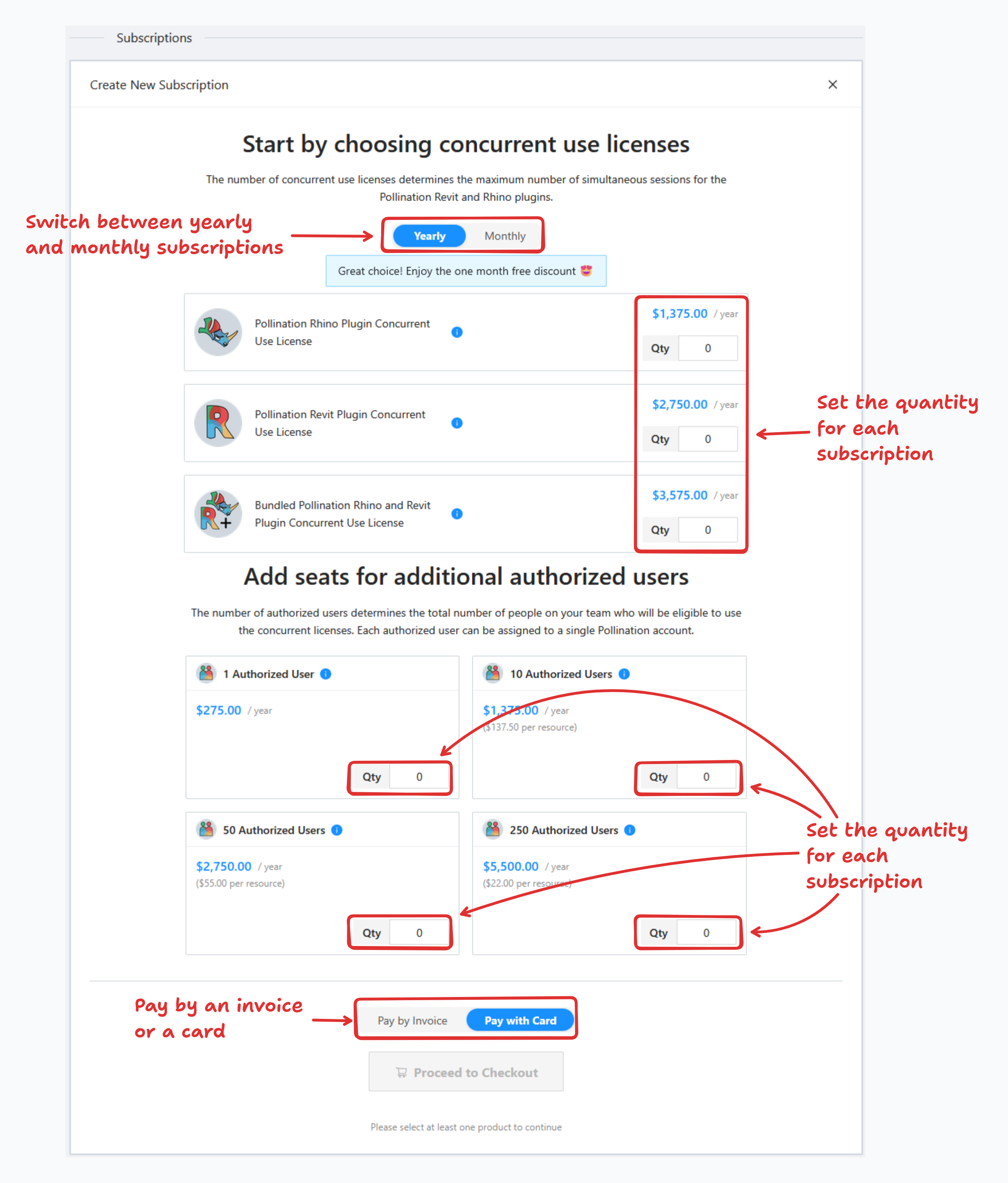
To create a new subscription, click the green box. Use the user interface to choose between yearly and monthly subscriptions, set the quantity for each, and select the payment method.
## Payment with Card
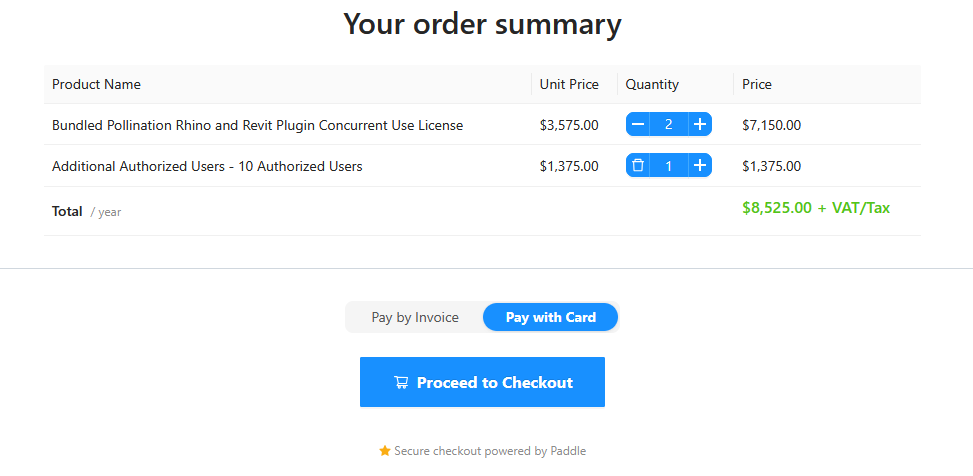
You can see a summary of your subscriptions at the bottom of the card.
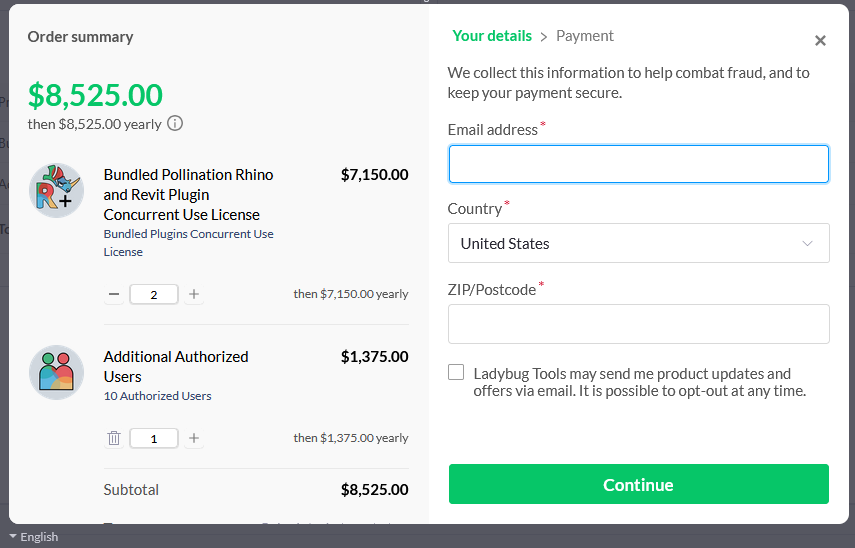
When ready, click "Proceed to Checkout" to complete your payment.
Use the user interface to checkout with a card
## Payment by Invoice
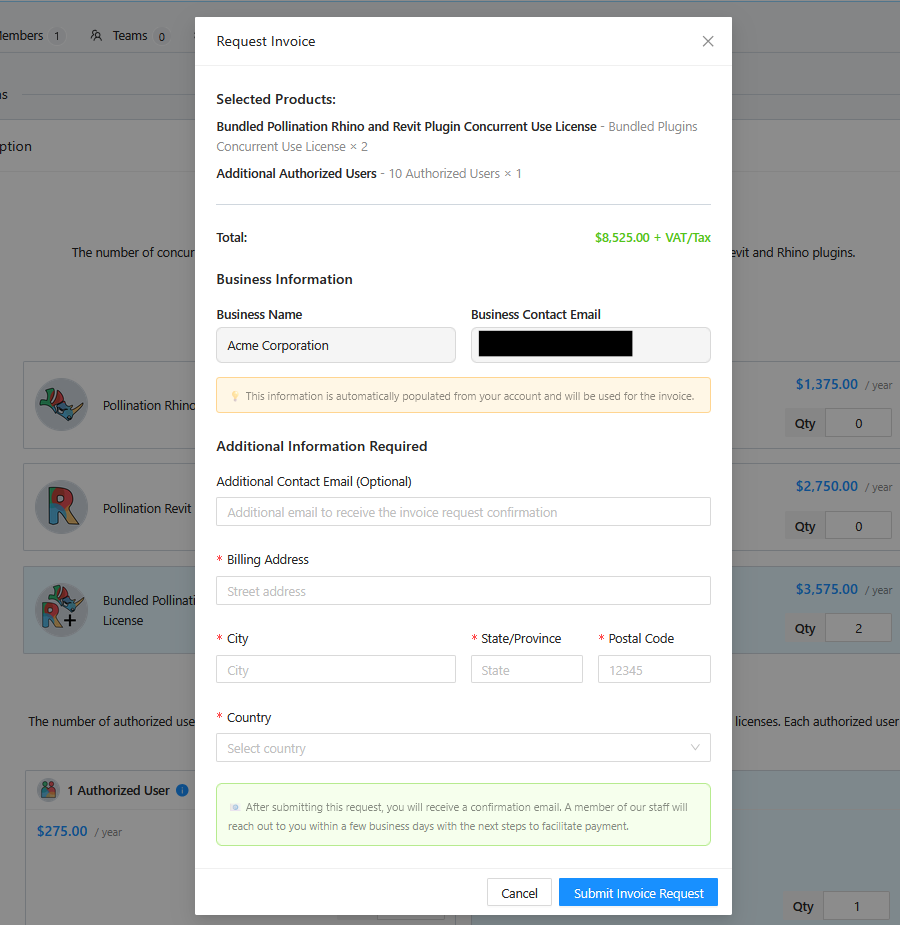
For yearly subscriptions, you can request an invoice. Select "Pay by Invoice" as the payment method and click "Request Invoice".
Then feel out the required information and click on the "Submit Invoice Request" button.
You will receive a confirmation email. Our team will contact you within a few days to confirm and send it. Once you receive the invoice, you'll have 30 days to make the payment to keep your account active.