> For the complete documentation index, see [llms.txt](https://docs.pollination.solutions/user-manual/llms.txt). Markdown versions of documentation pages are available by appending `.md` to page URLs; this page is available as [Markdown](https://docs.pollination.solutions/user-manual/model-editor/python-script-editor.md).
# Python Script Editor
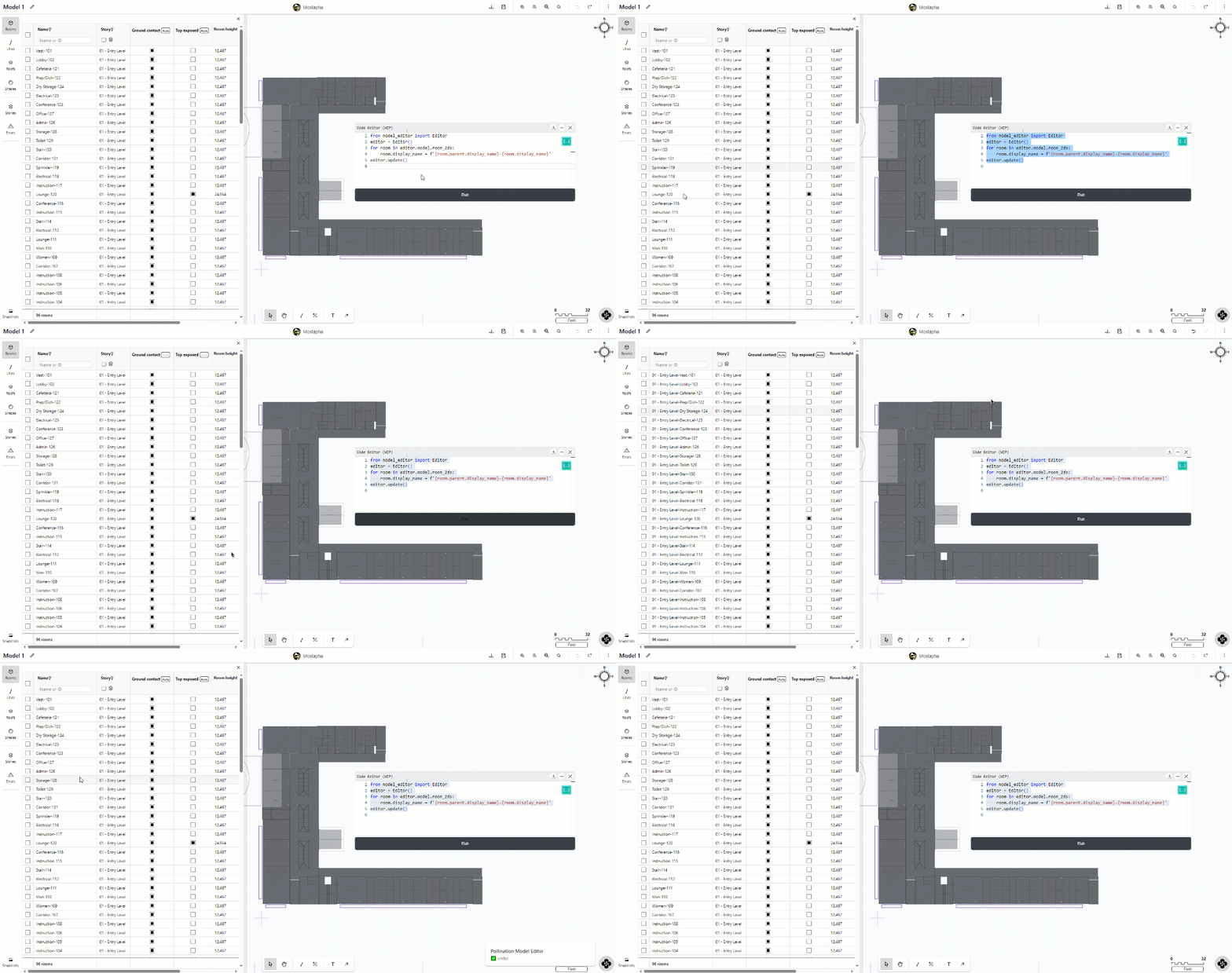
Use the Python script editor to automate the editing of the Pollination Model and more.
{% hint style="warning" %}
The Python Script is currently an experimental feature.
{% endhint %}
Just like any other Pollination product, we are committed to empowering users to build their own solutions on top of our products. The Python script editor is nowhere close to what it should be but it is the starting point to provide an Application Programming Interface (API) for the Model Editor. It can already save you hours of work by allowing you to develop and run automated workflows to edit the Pollination Model.
## Opening the script editor
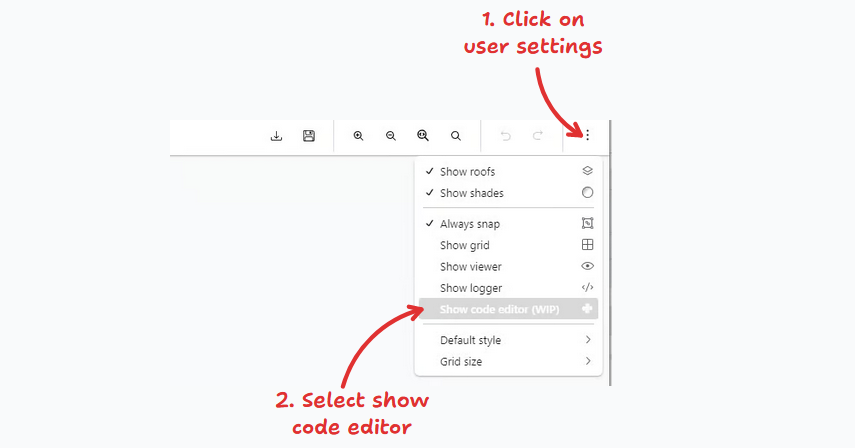
To open the script editor, click on the user setting button on the top right of the screen, and then select "show code editor".