> For the complete documentation index, see [llms.txt](https://docs.pollination.solutions/user-manual/llms.txt). Markdown versions of documentation pages are available by appending `.md` to page URLs; this page is available as [Markdown](https://docs.pollination.solutions/user-manual/getting-started/account-setup/managing-license-pools.md).
# Managing License Pools
{% hint style="info" %}
Only `Super Admin` , and `License Admin` roles can manage adding or removing members to the organization and the license pools.
{% endhint %}
All Pollination CAD licenses for an organization are concurrent use licenses, allowing multiple members to share a license at different times. To share access, the organization admins must add members to the organization and then to the License Pool.
### Adding new members to the license pool
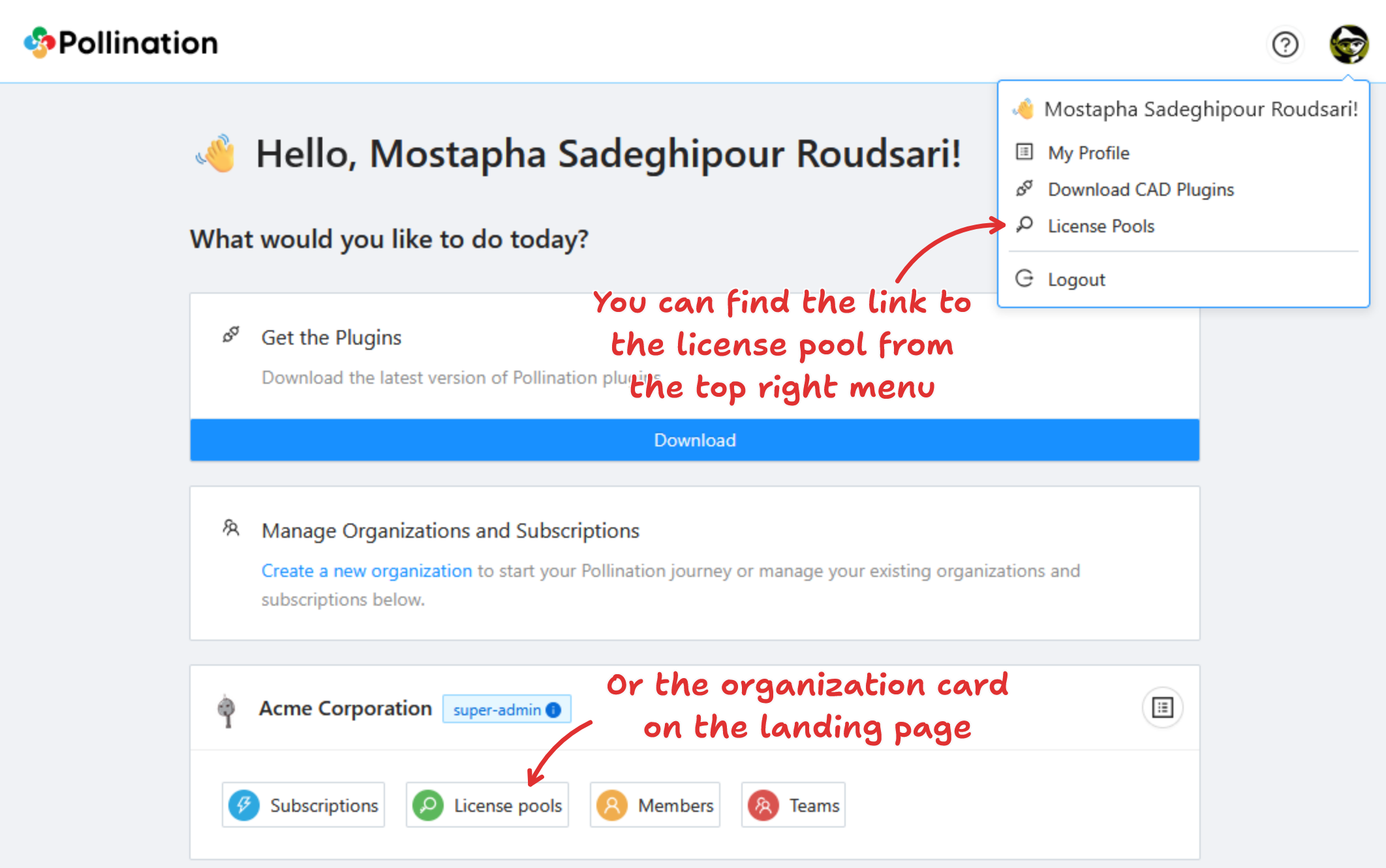
* Navigate to the license pools
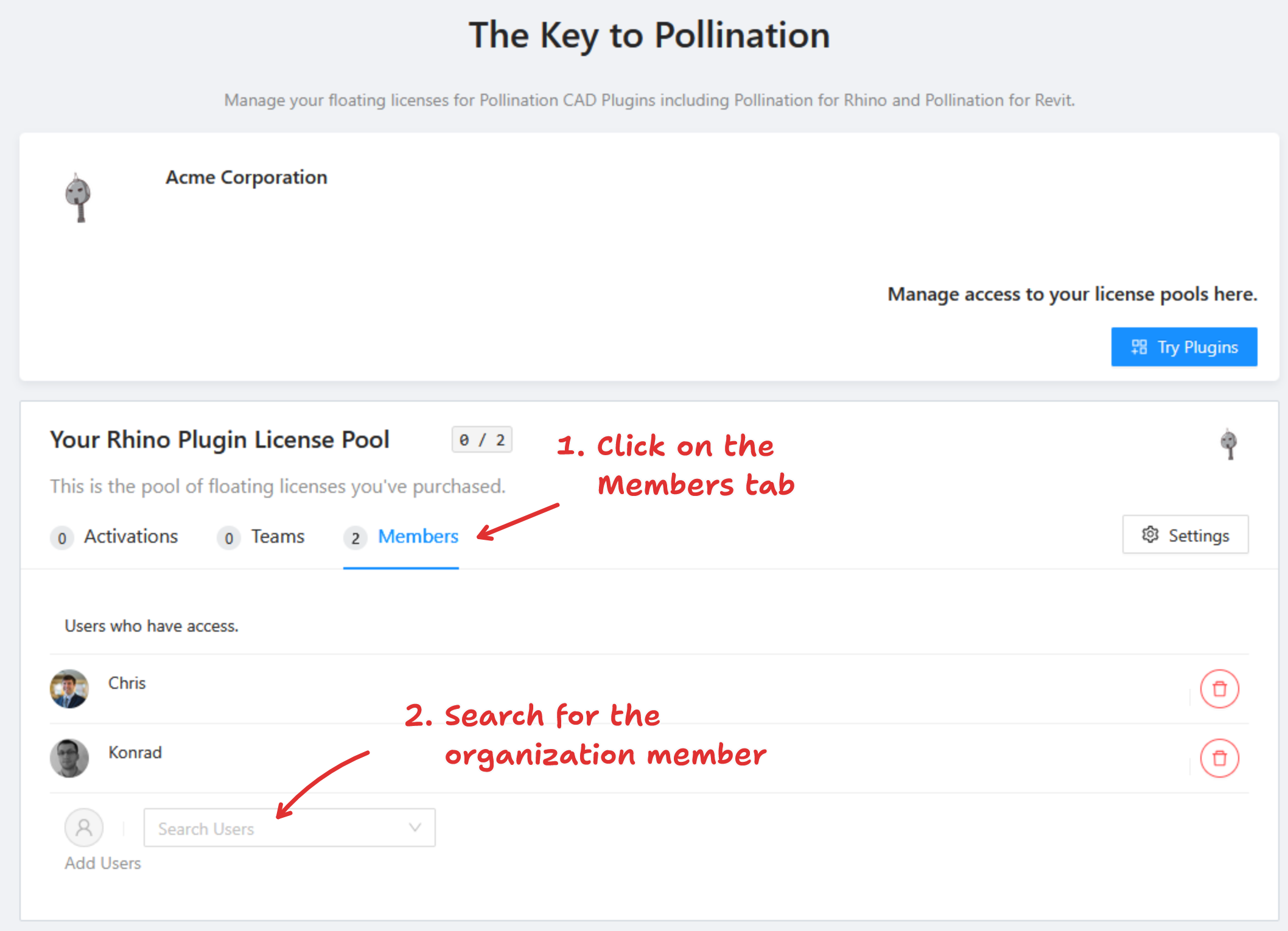
* Locate the appropriate license pool and select the Members tab.
* To find a member's account, check the field at the bottom of the card. If the account is missing, you may need to add them to the organization first. Follow these instructions to add members to the organization.
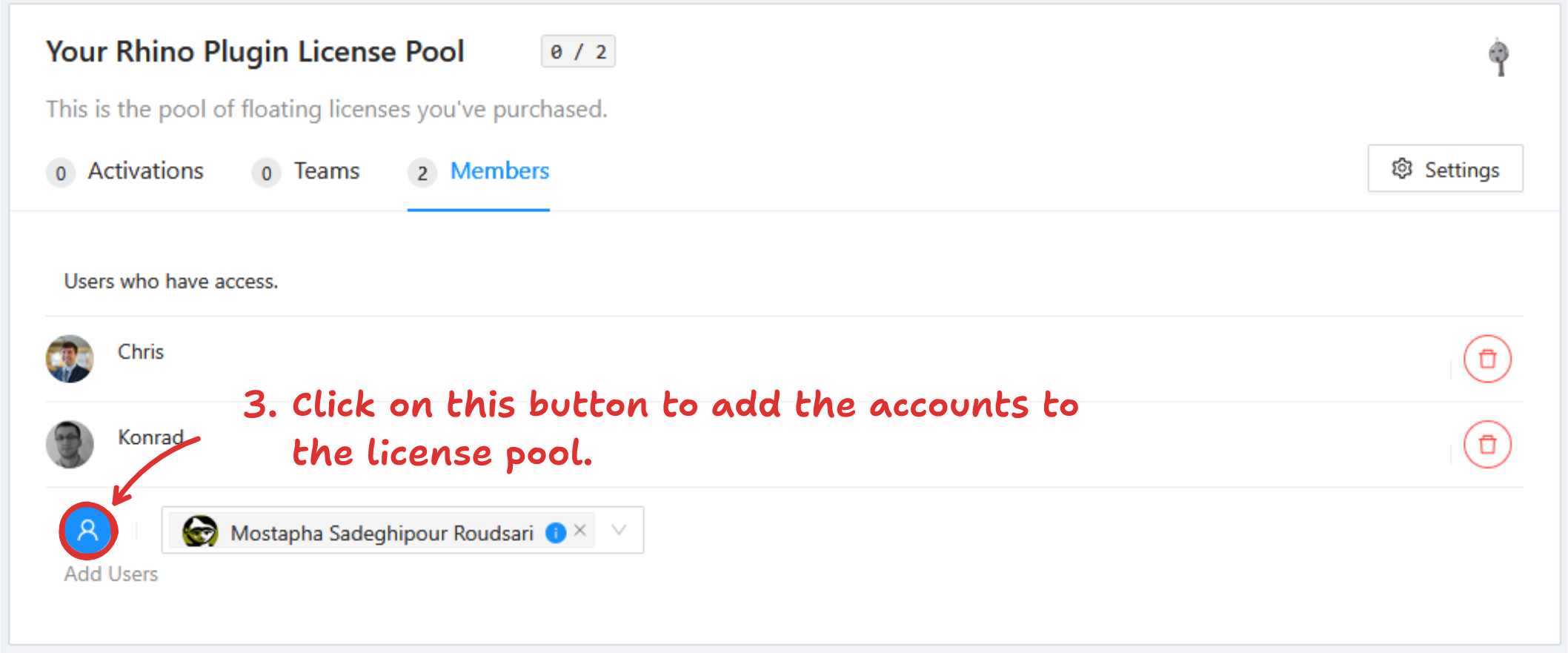
* Locate the desired member and click the blue circle icon to add them to your license pool. You can add several members at once.
### Removing a member from the license pool
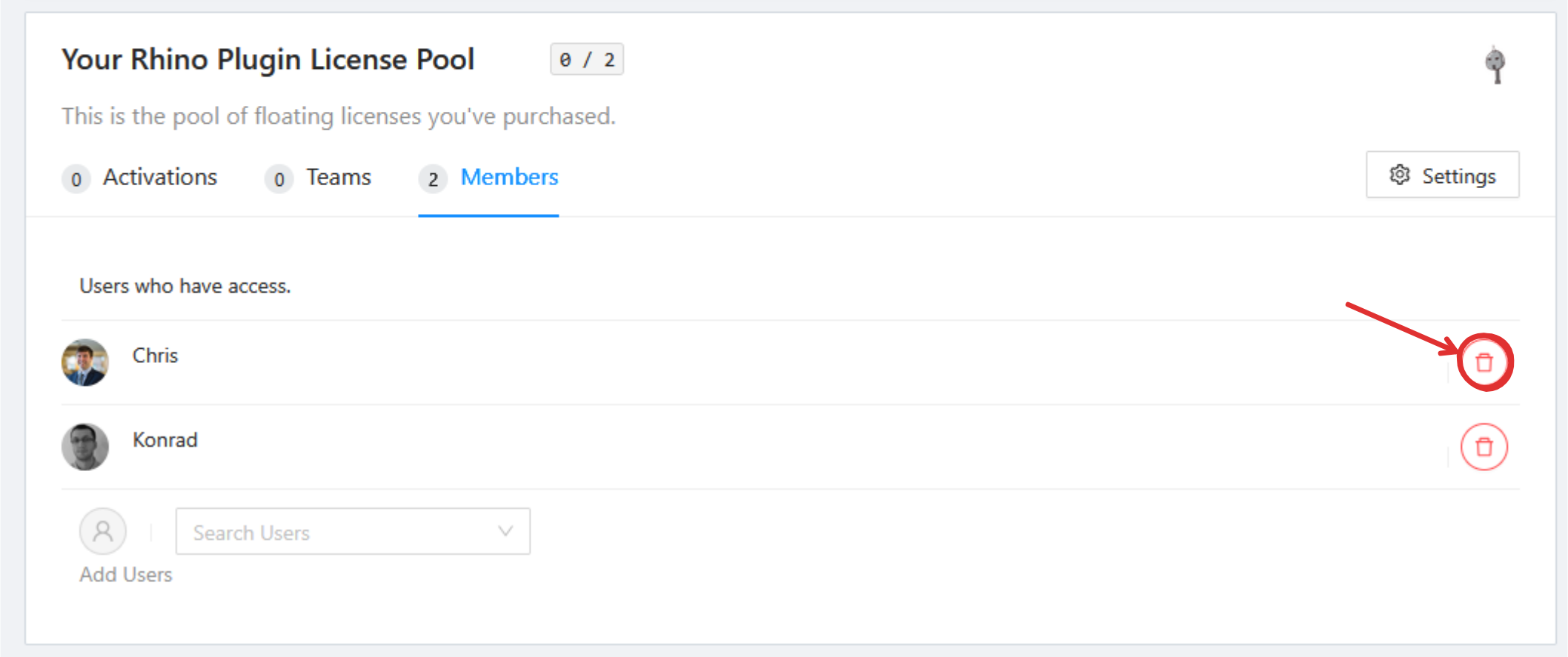
To remove a member from a license pool, click the trash icon.